The drop-down menu provides information about....
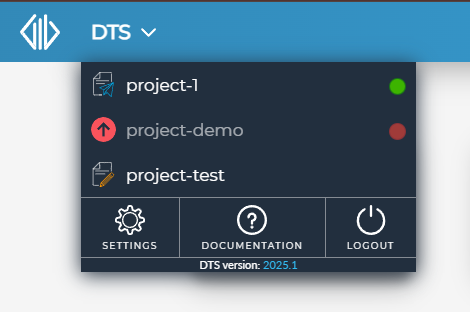
drop-down menu
It contains the following buttons and context menus:
Project name button |
Clicking on a project name takes you back to the last active page opened inside the project or the Project Information page. |
Project type icon |
|
Project status button |
|
|
Clicking this button will open the Upgrade Project dialog. This will upgrade your project to the latest DTS version. |
|
Opens the Help Manual for the DTS application |
|
Opens the System Settings Page (system-wide settings) |
|
Logs you out of the application. Takes you back to the Login page. |
DTS Version |
Displays the current version of the DTS application. |








 Selecting a project from the list will open the Project from where you left off or the Project Information tab for newly created projects.